ZESTLET · OEM / ODM · Private Label
CAD Fashion Design: Technical Flats, Digital Patterns and Factory Handoff
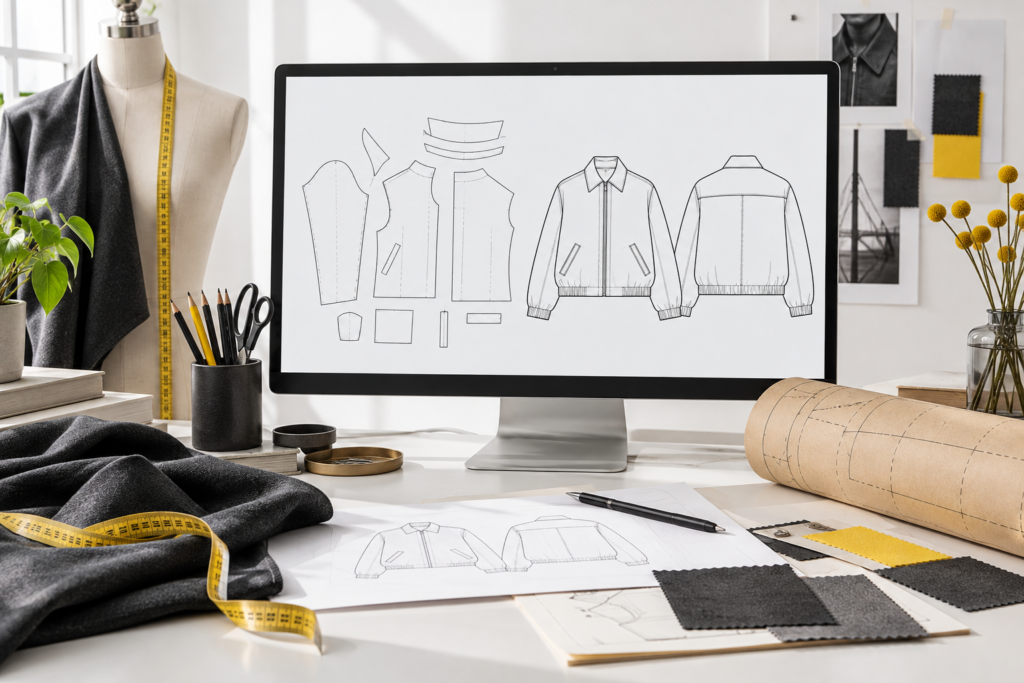
CAD in fashion design can support technical drawings, pattern development, grading and digital garment visualization. These outputs serve different purposes. Before commissioning CAD work, specify whether you need an appearance drawing, editable cutting pattern, graded size set or simulation. Agree which files the receiving factory can use and how the result will be checked against a physical sample.
For an apparel brand, the important question is not simply which software was used. It is whether the delivered information can move from designer to pattern maker to sample room without losing dimensions, component identity or revision history. This guide explains that handoff from a buyer’s perspective.
Technical flats, digital patterns and 3D garments are different
| Output | Useful purpose | What to confirm |
|---|---|---|
| Technical flat | Show garment views and visible construction details | Views, callout references, artwork dimensions and editable source |
| Digital pattern | Define component shapes for pattern and cutting development | Scale, units, piece names, seam treatment and marks |
| Graded pattern set | Provide the intended pattern sizes | Size labels, base size, grade rules and fit review |
| 3D visualization | Discuss silhouette, arrangement and proposed material appearance | Avatar assumptions, material inputs and remaining physical checks |
| Production documentation | Connect the design to materials, measurements and approvals | One current tech pack linked to the correct pattern revision |
A technical flat can be precise and useful without being a pattern. Its pocket outline may show the finished appearance, while the pattern needs additional information about the pieces, folding or construction. Ask the person doing the work to identify exactly what the deliverable contains.
Agree the receiving workflow before exporting files
Ask the factory or pattern room which formats it can import, which version is supported and which information must travel separately. Keep a viewing PDF alongside the working file so the recipient can compare the imported result with the intended appearance. A file that opens successfully still needs content checks.
CLO’s official documentation lists DXF-AAMA, DXF-ASTM and Standard DXF among its pattern export options and describes seam-allowance handling. That does not mean every file with a .dxf extension will contain equivalent apparel information. Agree the exact export settings with the receiving team rather than treating the extension as an approval.
Use a handoff manifest
List the item code, file names, revision, units, base size, included sizes, expected pattern-piece count and the controlling tech pack. Record whether seam allowance is included and how internal lines and notches should be interpreted. The manifest makes omissions easier to identify before someone starts another sample.
For a style with separate shell and lining patterns, make the relationship explicit. Similar names are not enough if one set belongs to an older construction. Use a clear archive for superseded files and a separate folder for the currently issued package.
Check the imported result, not only the exported file
- Confirm scale: compare an agreed reference measurement in the receiving application with the documented value.
- Count pieces: check the expected components, including small facings, cuffs and pocket elements.
- Confirm sizes: verify that size labels and the base-size reference are not swapped or missing.
- Inspect construction marks: review notches, grain direction and internal guides with the pattern maker.
- Review seam treatment: confirm which line represents the sewing boundary and which represents cutting.
- Reconcile the tech pack: ensure that current pocket positions, closures and dimensions match the imported revision.
These are buyer-side review prompts, not a complete technical validation procedure. The qualified pattern team should decide which additional checks the actual garment and production route require.
A practical handoff failure to prevent
Consider a hypothetical jacket development where a designer updates the collar drawing but sends the previous pattern file. The sample room can follow both files accurately and still produce a conflicting result. The problem is document coordination, not necessarily sewing quality.
Before issuing the next package, identify every file affected by the collar change. Update the pattern, drawing, relevant dimensions and material requirements, then give the set one release reference. Ask the recipient to acknowledge that complete set. This is more reliable than sending an isolated replacement page into an older message thread.
Use 3D visualization to ask better questions
A digital garment can help a team discuss silhouette and identify areas needing review. Treat the result as dependent on its inputs. An avatar that does not represent the intended wearer, or a material setting that does not represent the proposed fabric, can give a misleading impression of fit or drape.
Ask what has been measured and what is only a visual approximation. Review the actual fabric and a physical sample for the decisions that require them. A digital view alone does not establish seam strength, wash behavior, color accuracy or a protective performance claim.
When comparing revisions, keep the viewing conditions consistent. If both the pattern and the digital material change, it becomes harder to tell which change caused a different silhouette. Record those variables separately and describe what each review is intended to decide.
Define deliverables, revision scope and file ownership
Before starting paid development, agree whether you receive editable source files, exports, graded patterns, drawings and any supporting material data. Confirm the number and scope of revision rounds. Keep the commercial agreement separate from assumptions about what a software file normally contains.
Ask who controls future changes and whether another pattern room may work from the delivered files. Rights in reference artwork and design inputs also need clarification. Do not assume a manufacturer can reproduce a third party’s logo or proprietary pattern merely because the file is technically readable.
CAD fashion design questions
Can I send a PDF rather than a native CAD file?
A PDF is useful for viewing and review. Whether it is enough for pattern development depends on its content, scale and the work being requested. Ask the receiving team what additional development is required before treating it as a cutting file.
Does a 3D garment remove the need for sampling?
No blanket assumption is appropriate. Decide which questions the digital review answers and which require the actual material, garment or wearer. Confirm the physical approval route for your order.
Should the CAD pattern and tech pack have the same revision?
They should be linked through an explicit release record. They may use different internal revision systems, but the recipient must know which pattern belongs to which approved instructions.
How can ZESTLET review my development files?
Send the garment category, available formats, intended sizes and current development stage through our tech pack and sampling inquiry. File compatibility and exact development scope are confirmed for the actual project; this guide does not promise support for every software system.
Sources and next steps
Format references were checked against CLO’s official DXF import/export documentation and its 1:1 pattern snapshot documentation. The handoff checklist is ZESTLET editorial guidance. Continue with our tech pack guide and manufacturer communication guide.